Genlocker stores estate documents in a zero-knowledge encrypted vault — then lets you choose when each vault opens. Share access now, set a future date, or require an official death certificate before anything is released.
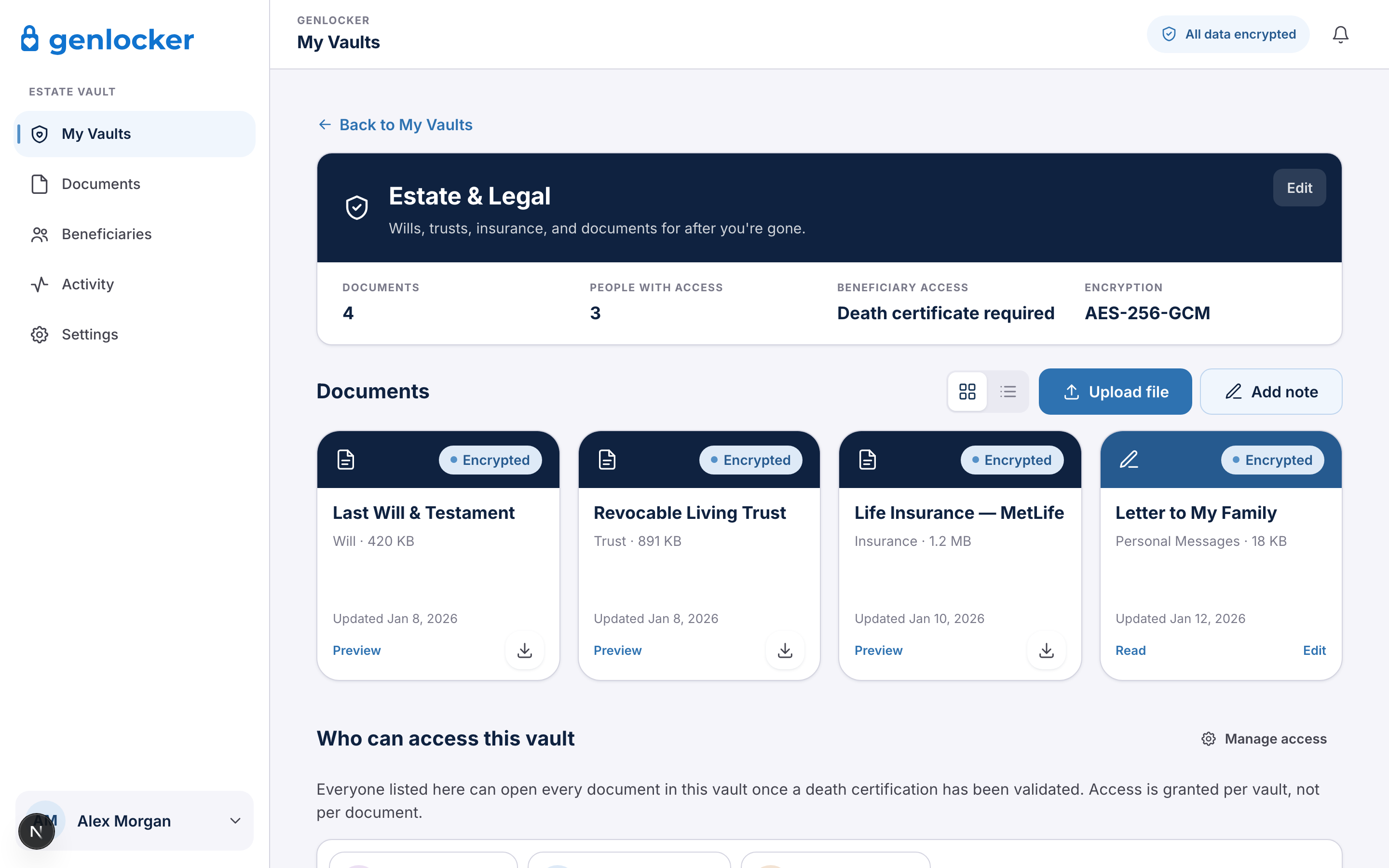
A digital estate vault is a secure online place to keep the documents and credentials your family will need when you die — a will, trusts, insurance policies, property records, financial logins, and your password-manager master key — and to deliver them to the right people at the right time.
A shoebox, a binder, or a note taped under a desk cannot tell your children which vault is which. A typical cloud folder cannot prove you have died. Most password managers are built for you, not for inheritance. A digital estate vault is built for that handoff: named beneficiaries, per-vault permissions, and a release rule you control.
Genlocker adds a safeguard most vaults skip. For documents that must stay private until you are gone, access is not granted because an email went unanswered. It is granted after an official death certificate is verified.
The average person has more than 100 digital accounts. Credentials live in a password manager, a browser, or someone's memory. When that person dies, families lose months to lockouts, probate delays, and conflict over documents that existed — but could not be found.
A signed will in a fireproof box helps only if someone knows it exists, where it is, and how to open the box.
Banks, email, and crypto often have no inheritance path. Without the master password, recovery can take months — or fail.
Many digital vaults unlock if a beneficiary reports a death and you do not reply. That is convenience, not proof.
Tens of trillions of dollars are changing generations. Unorganized digital estates are how a portion of that simply disappears.
If your family would need it within the first weeks after a death — to find the will, file insurance, access accounts, or understand your wishes — it belongs in the vault. Genlocker accepts any file type, including PDFs, photos of paper documents, and a video message.
Healthcare directives and powers of attorney should still be executed through legal channels. Store copies in Genlocker so they can be found; the vault does not replace those documents.
You encrypt documents on your device, invite the people who matter, and set a release rule per vault. Death-verified vaults stay closed until a certified death certificate is reviewed.
Sign up, set a master password, and upload files. Encryption happens in your browser before anything reaches Genlocker. We store ciphertext we cannot read.
Invite family, an attorney, or an advisor. Each person gets a free account and a partial key. You decide who sees which vault — not all-or-nothing access.
Open access now, unlock on a date you choose, or require death-certificate verification. Most families use a mix of the three.
Available to assigned people today — useful for an attorney or shared household information.
Unlocks automatically on a day you pick — letters, milestone handoffs, timed instructions.
Stays locked until a certified death certificate is submitted and verified by our team.
A "dead man's switch" — wait for an email to go unanswered, then open the vault — is easy to ship. It is also easy to misuse if mail is missed, an account is compromised, or a beneficiary reports a death that has not happened.
Genlocker's death-verified vaults require a certified copy from a vital records office. The team checks the issuing authority, document number, seal, and key fields, and cross-references the Social Security Death Master File where available. Plus and Family plans complete that review within 24 hours.
How encryption and verification work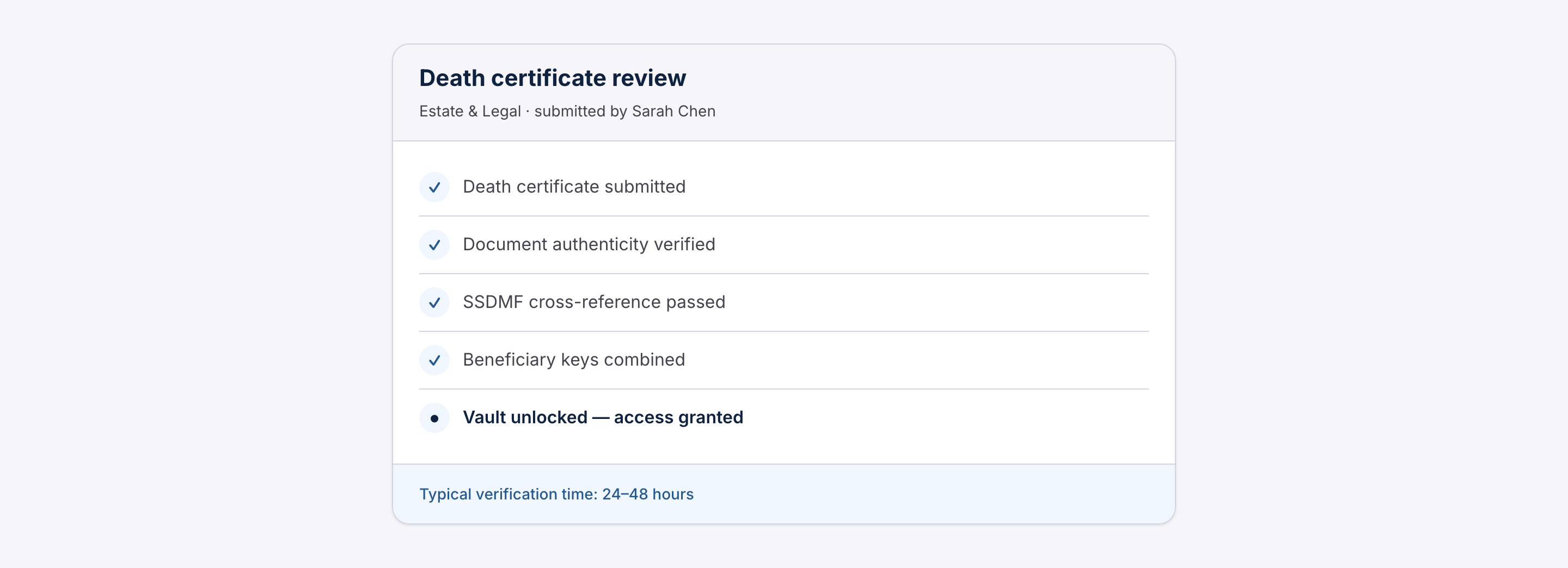
People researching this topic usually compare a vault to a box at home, a lawyer's file, a password manager, or another online locker. Here is how those options differ for inheritance.
| Need | Home safe / binder | Password manager | Typical online vault | Genlocker |
|---|---|---|---|---|
| Find the will quickly | Only if someone knows where it is | Not designed for legal files | If the family has the login | Named beneficiaries, per vault |
| Pass on passwords | Paper list, easily lost | Emergency access, if configured | Varies | Master key + inventory in the vault |
| Proof of death required | No | No | Usually email timeout | Yes, for death-verified vaults |
| Staff cannot read files | N/A | Provider-dependent | Often not zero-knowledge | Zero-knowledge by design |
| Different people, different docs | Physical copies | Limited | Basic | Granular beneficiary access |
An estate attorney still belongs in the plan. Genlocker stores and delivers documents; it does not draft them or give legal advice.
Flat annual pricing. Beneficiaries never pay. 30-day trial, no credit card.
All plans include death-certificate verification, AES-256 encryption, and a tamper-evident audit log. Full plan comparison →
Answers people look up before they choose a vault.
Start a Genlocker vault in under 20 minutes. The 30-day trial does not require a credit card.
Start free trialNo credit card required · Cancel anytime · Your data is always yours
